
Training range status
The SOC is off shift.
The attackers never are.
Sanraksha.SANJAY runs live SOC training every day from 08:00 to 18:00 IST. The range is powered down right now to keep training costs low. It comes back on schedule, or on request.
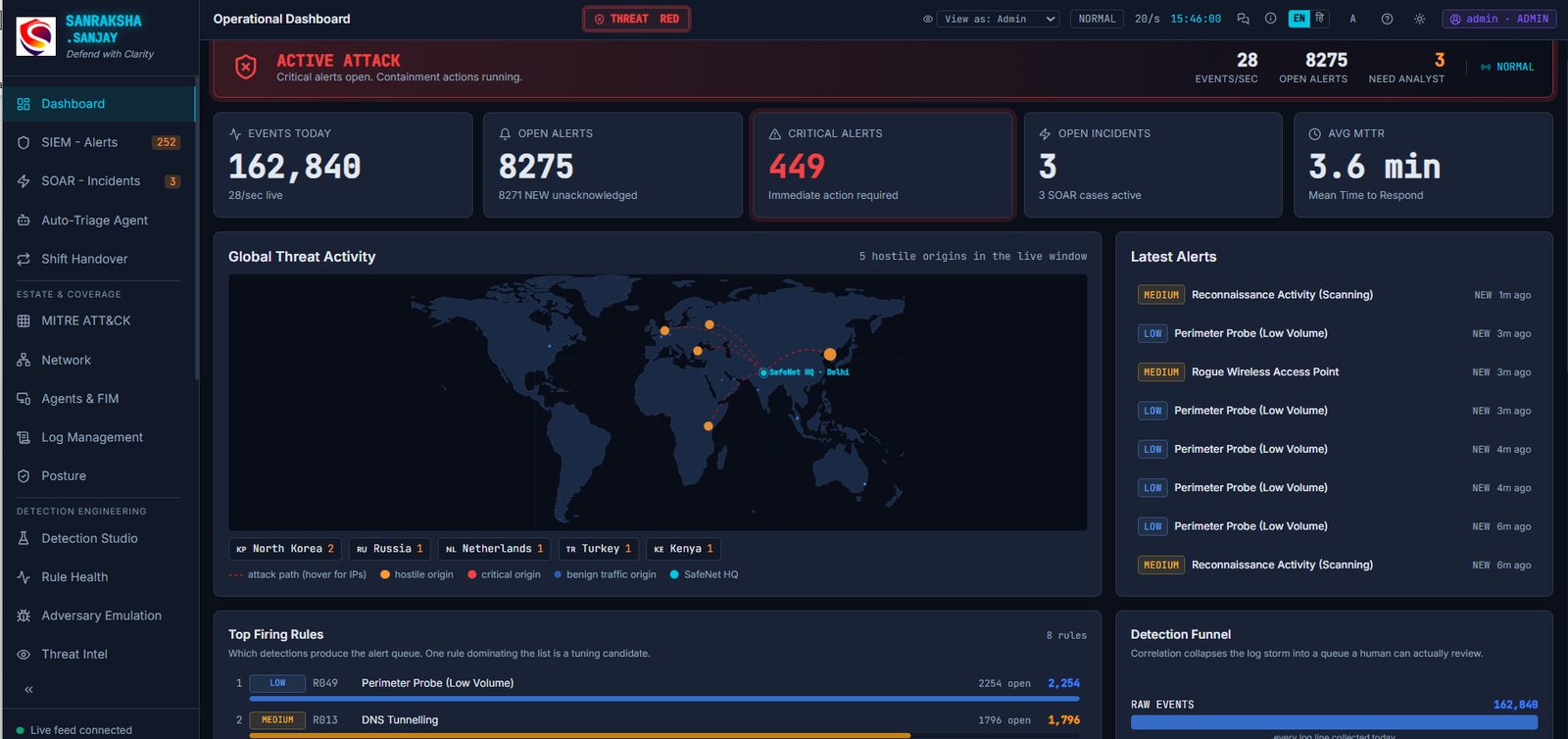 OPERATIONAL DASHBOARD · THREAT RED · 28 EVENTS/SEC
01 · Detect
Work a real alert queue, not a slideshow.
Live telemetry from firewall, DNS, proxy, EDR, identity and OT sources is correlated into alerts with severity, SLA timers and a kill chain that maps every stage to MITRE ATT&CK. Click any screenshot to open it full size.
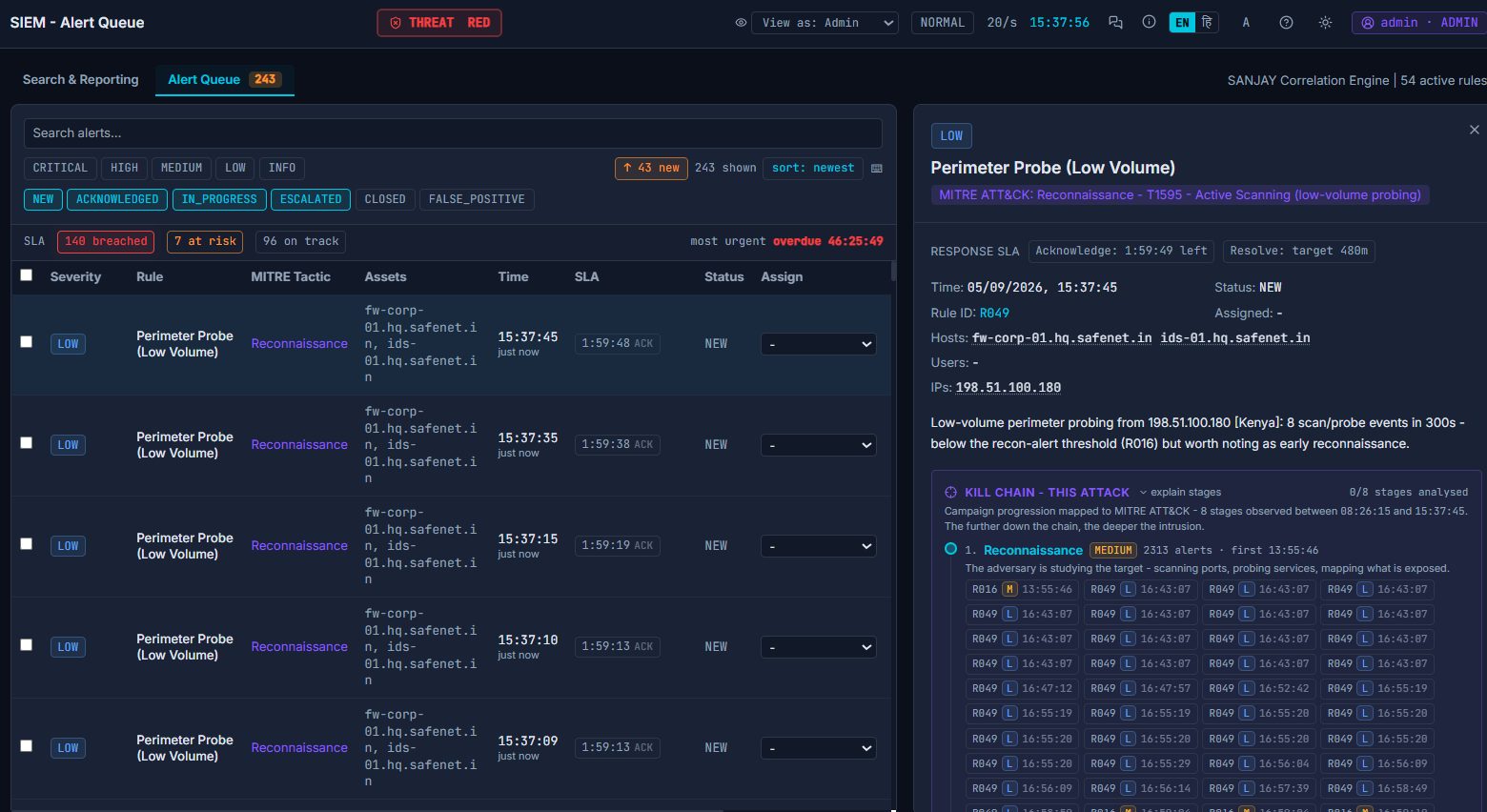
SIEM alert queue
Filter by severity and status, watch SLA countdowns turn red, and open any alert to see hosts, IPs, the rule that fired and the full kill chain of the campaign it belongs to.
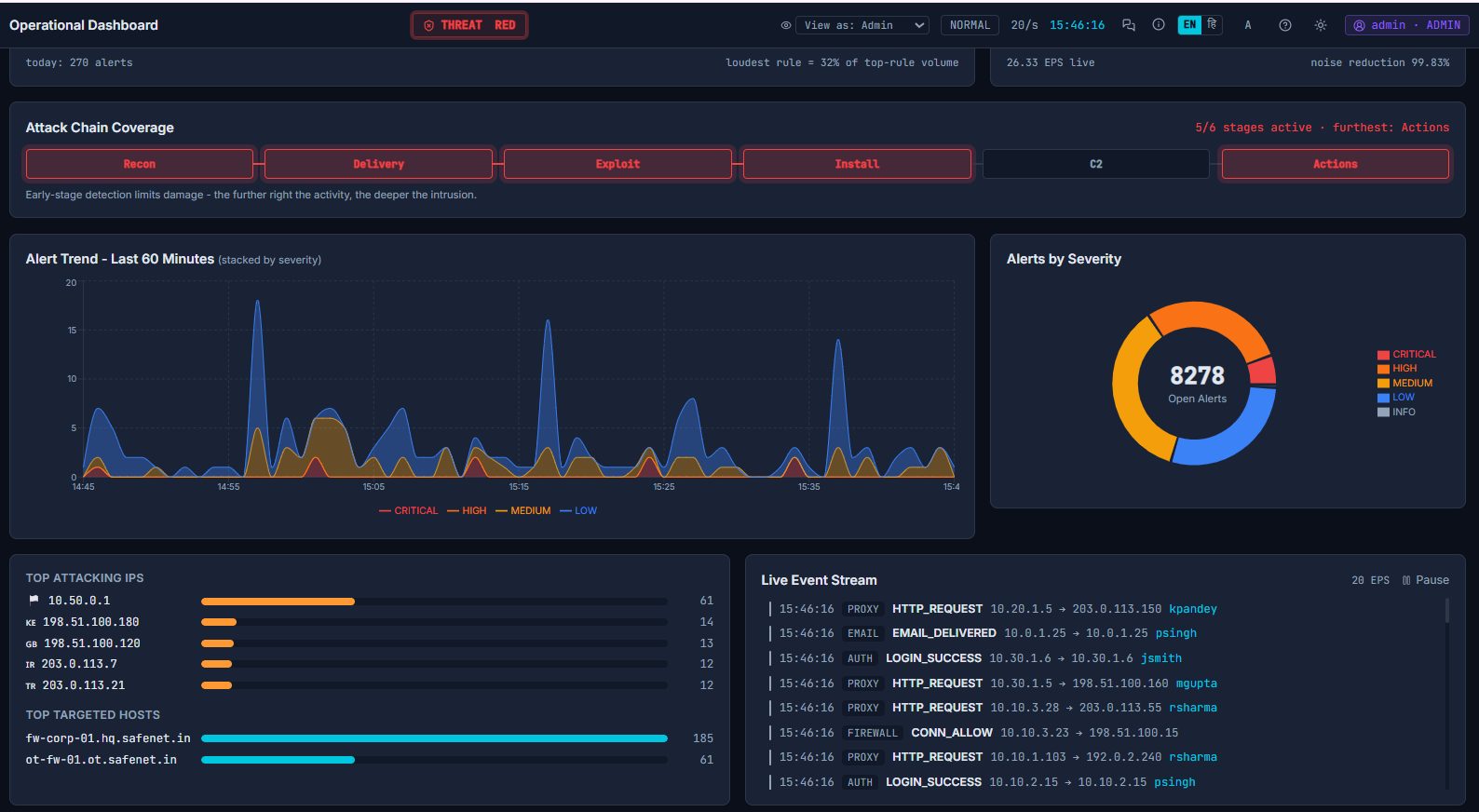
Situational awareness
Attack-chain coverage shows how deep the intrusion has progressed. Alert trend, severity mix, top attacking IPs and targeted hosts update live against a 20-events-per-second stream.
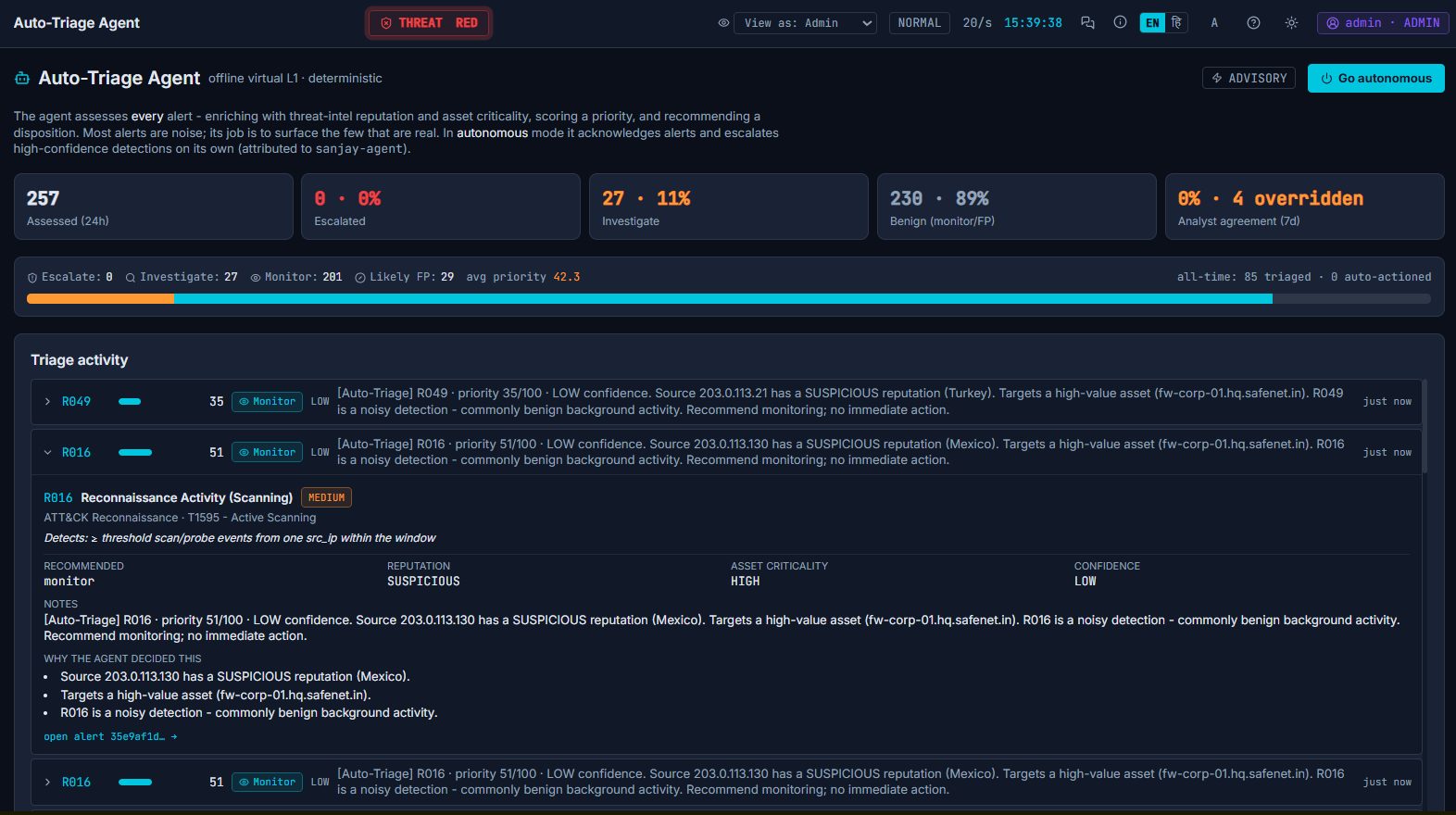
Auto-Triage Agent
A deterministic, fully offline virtual L1 scores every alert on reputation, asset criticality and confidence, explains why it decided, and can be switched to autonomous mode to acknowledge noise on its own.
02 · Respond
Run the playbook. Make the containment call.
Incidents move through Detect, Investigate, Contain, Eradicate, Recover and Close. Automated steps run themselves; analyst steps stop and wait for a human decision, and every decision is recorded.
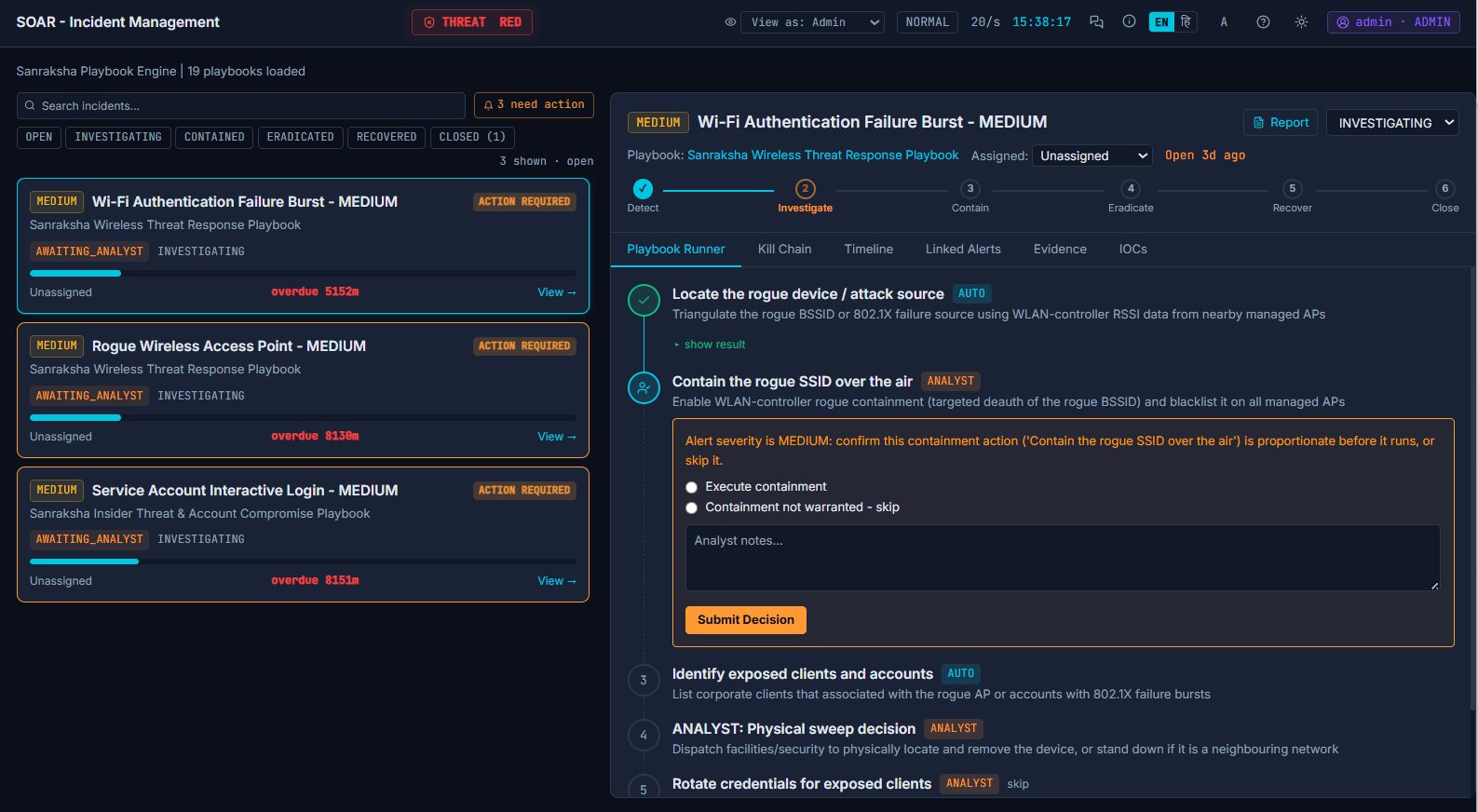
Analyst decision point
The playbook pauses before a proportionate but disruptive action and asks the analyst to execute or skip, with notes.
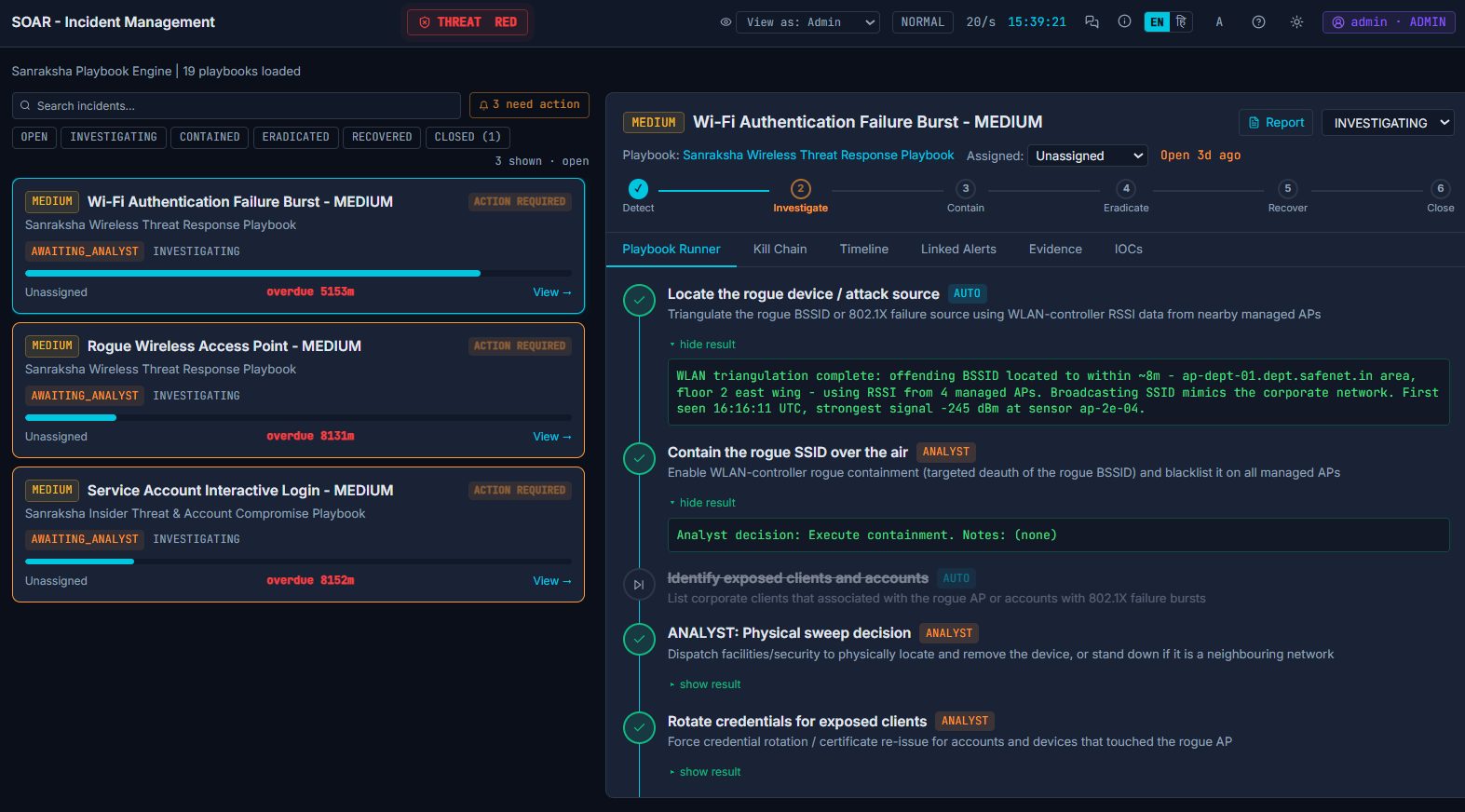
Playbook runner
Completed steps show their evidence: WLAN triangulation results, containment executed, credentials rotated, sweep dispatched.
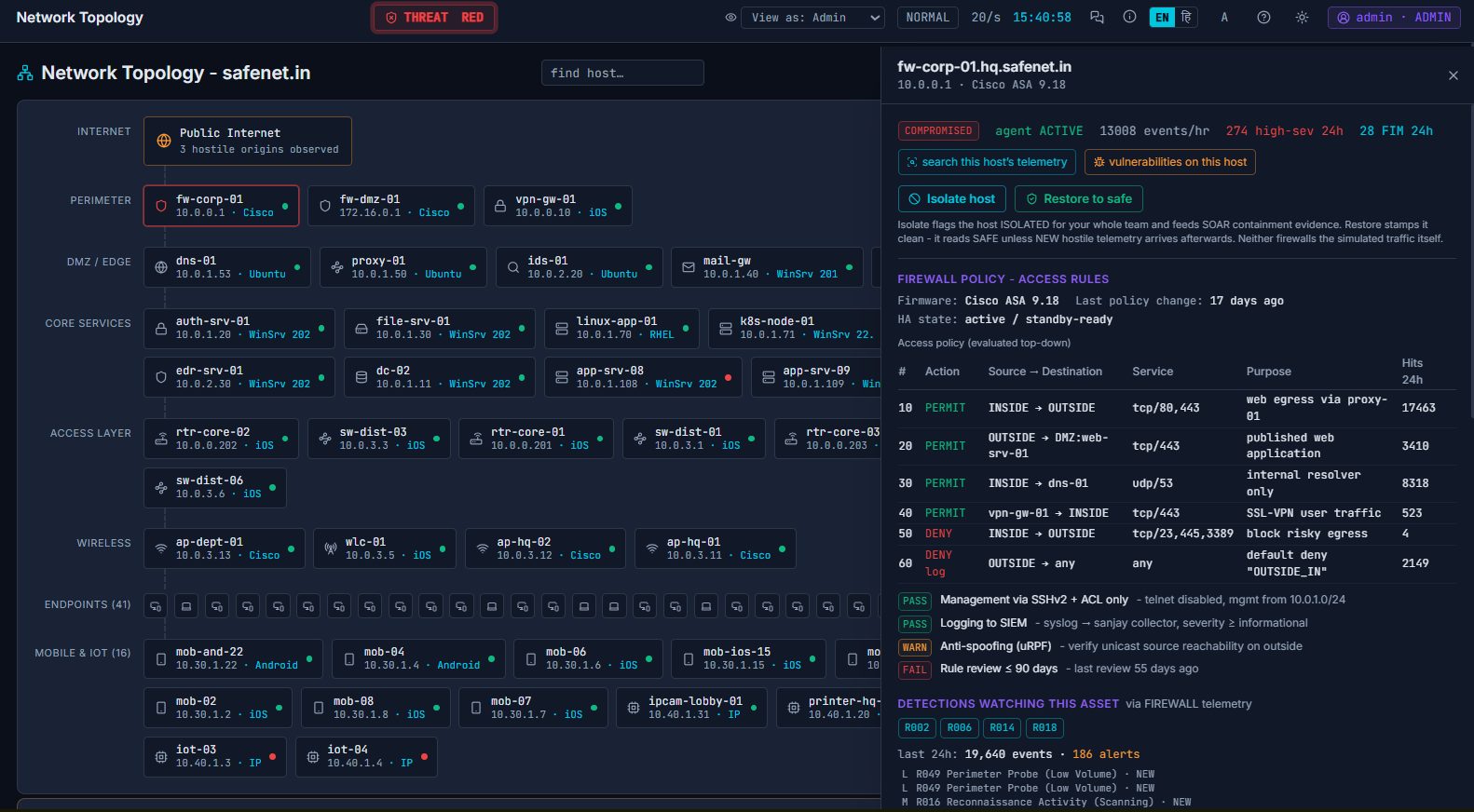
Attackable estate
The whole safenet.in enterprise by tier, from perimeter to OT/ICS. Click a host for its agent status, firewall policy, posture checks and the detections watching it. Isolate or restore any host with one click.
03 · Hunt & engineer
Write the detections. Prove they fire.
The write side of the SOC: author correlation rules, back-test them against 50,000 events, fire single ATT&CK techniques on demand to validate coverage, and hunt for the adversaries no rule has flagged.
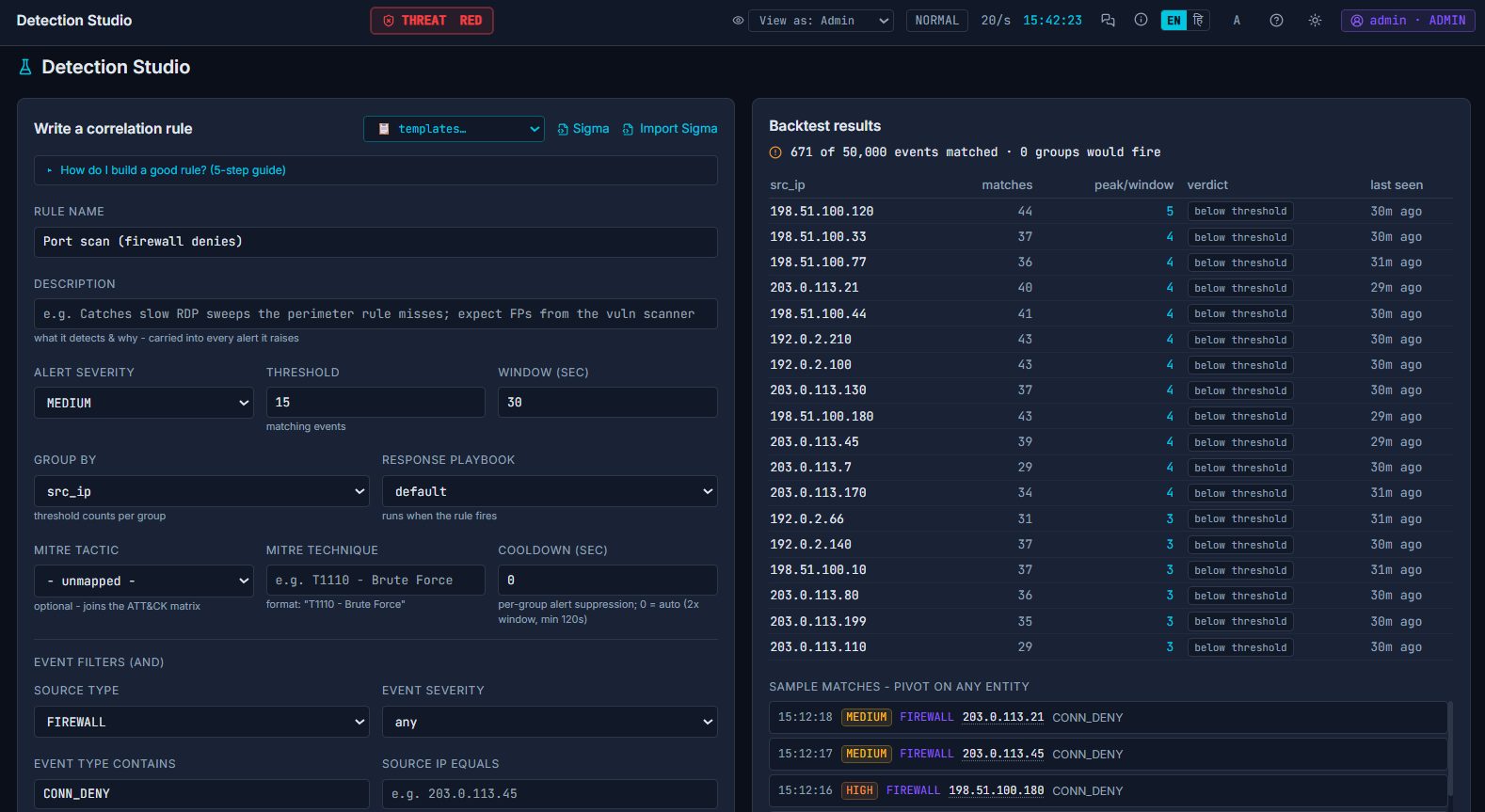
Detection Studio
Threshold, window, group-by, MITRE mapping and event filters on the left; instant back-test on the right showing which source IPs would have fired. Import Sigma rules or start from templates.
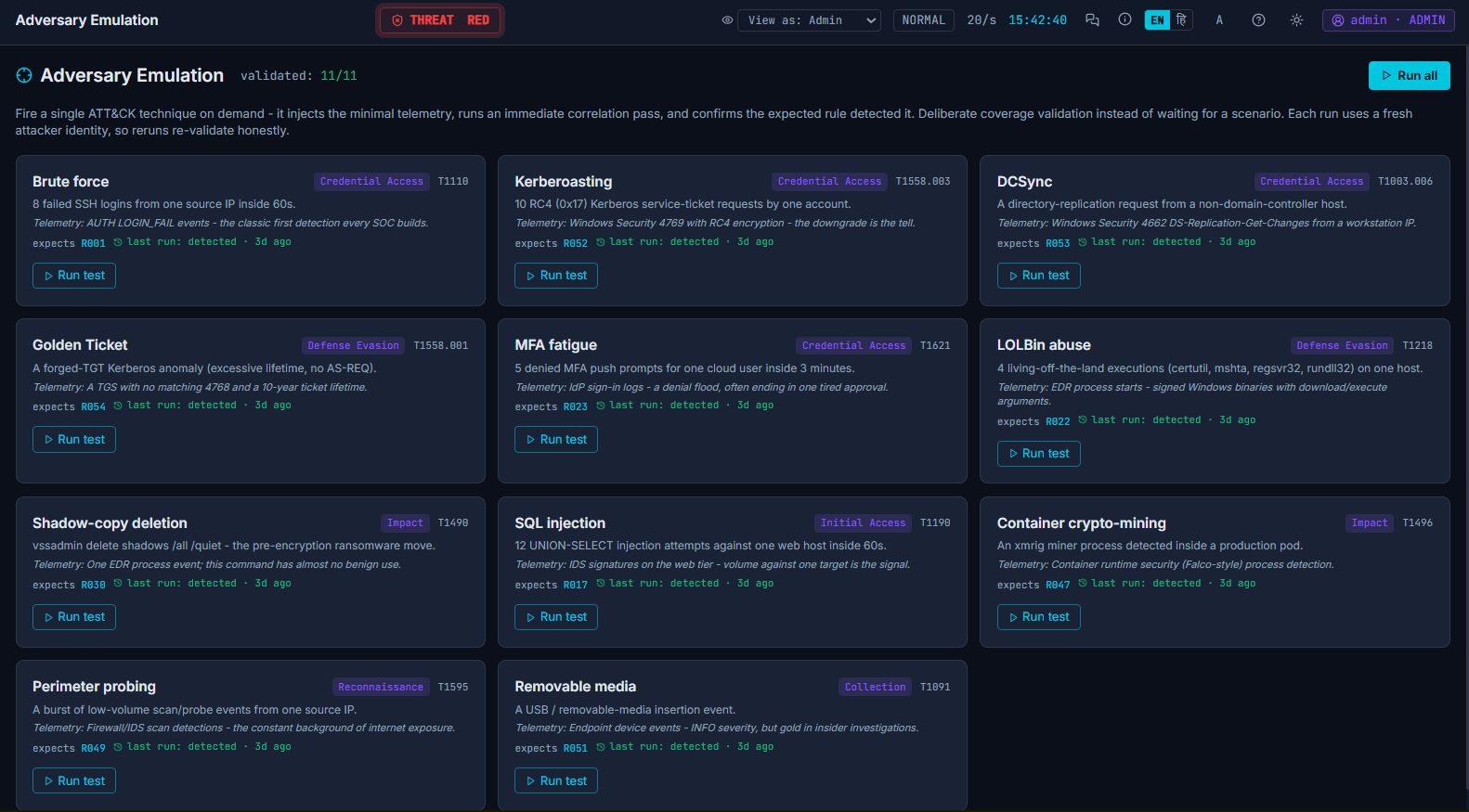
Adversary Emulation
Fire Kerberoasting, DCSync, MFA fatigue, LOLBins or shadow-copy deletion on demand and confirm the expected rule caught it.
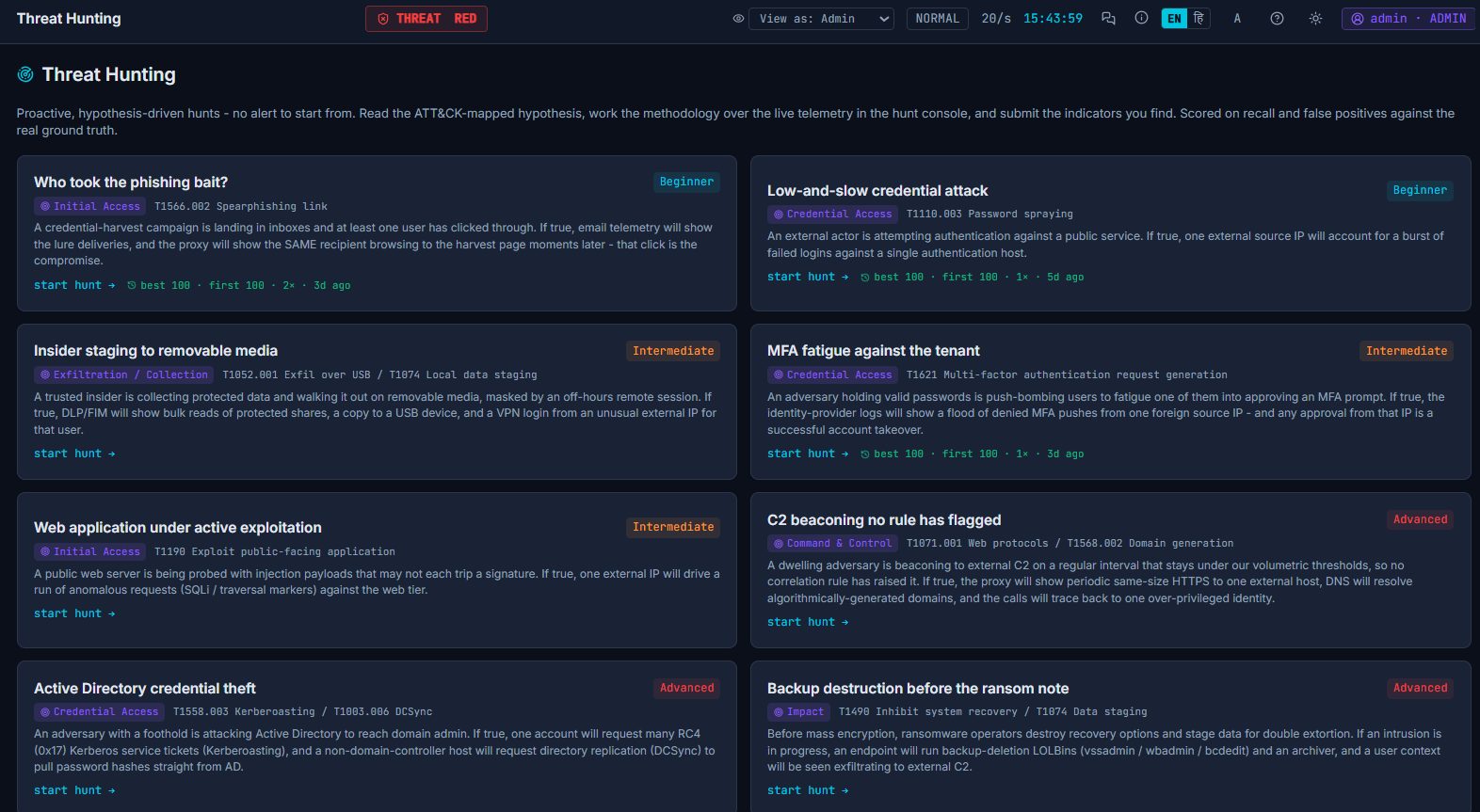
Threat Hunting
Hypothesis-driven hunts across live telemetry, scored on recall and false positives against the real ground truth.
04 · Train & run cohorts
From first shift to running the whole room.
Self-paced learners follow paths and labs that complete from real console actions. Instructors build timed exercises, assign teams and drive 25+ attack scenarios against a private estate per exercise.
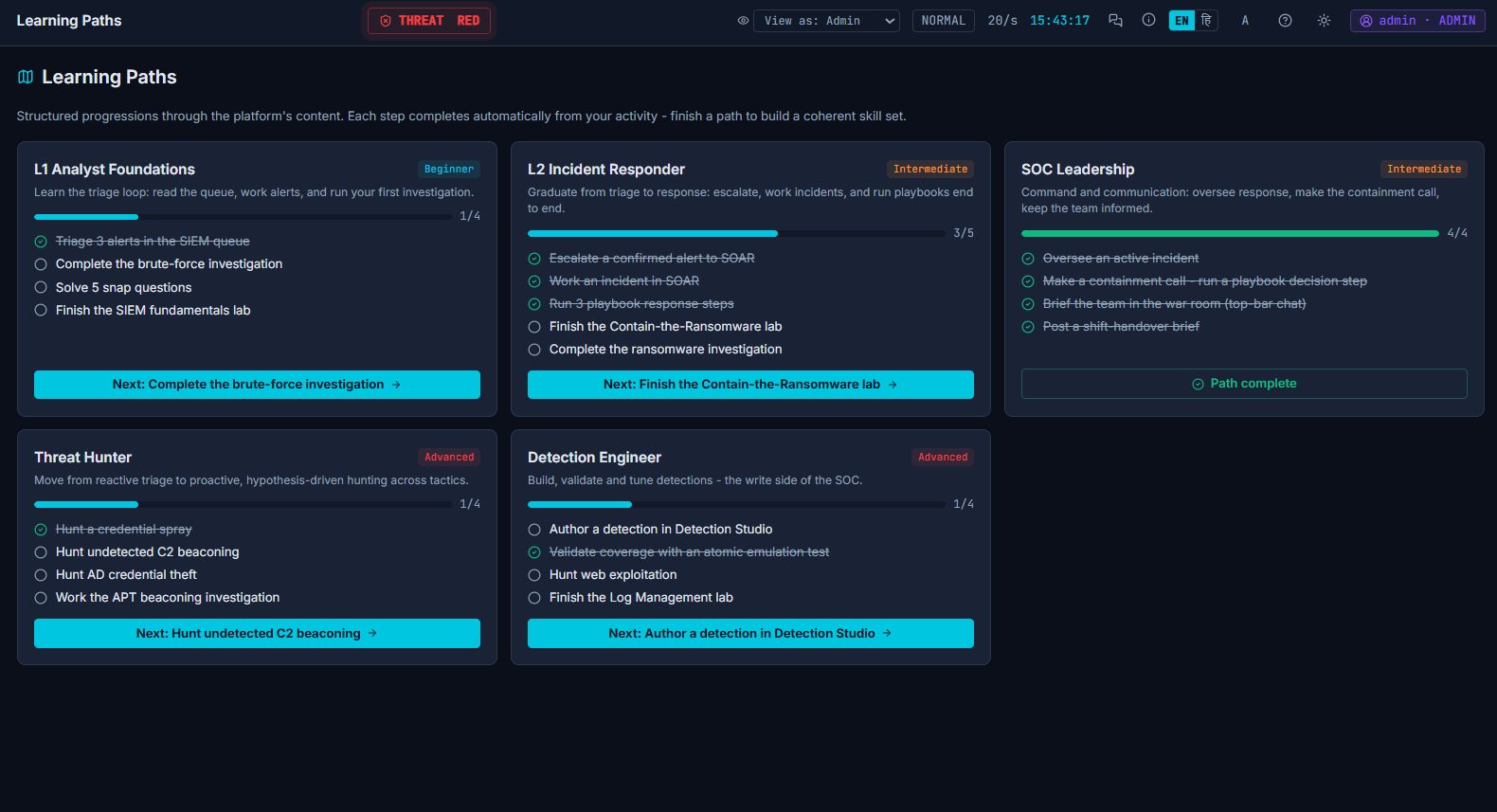
Learning Paths
L1 Analyst Foundations, L2 Incident Responder, SOC Leadership, Threat Hunter and Detection Engineer. Steps tick off automatically.
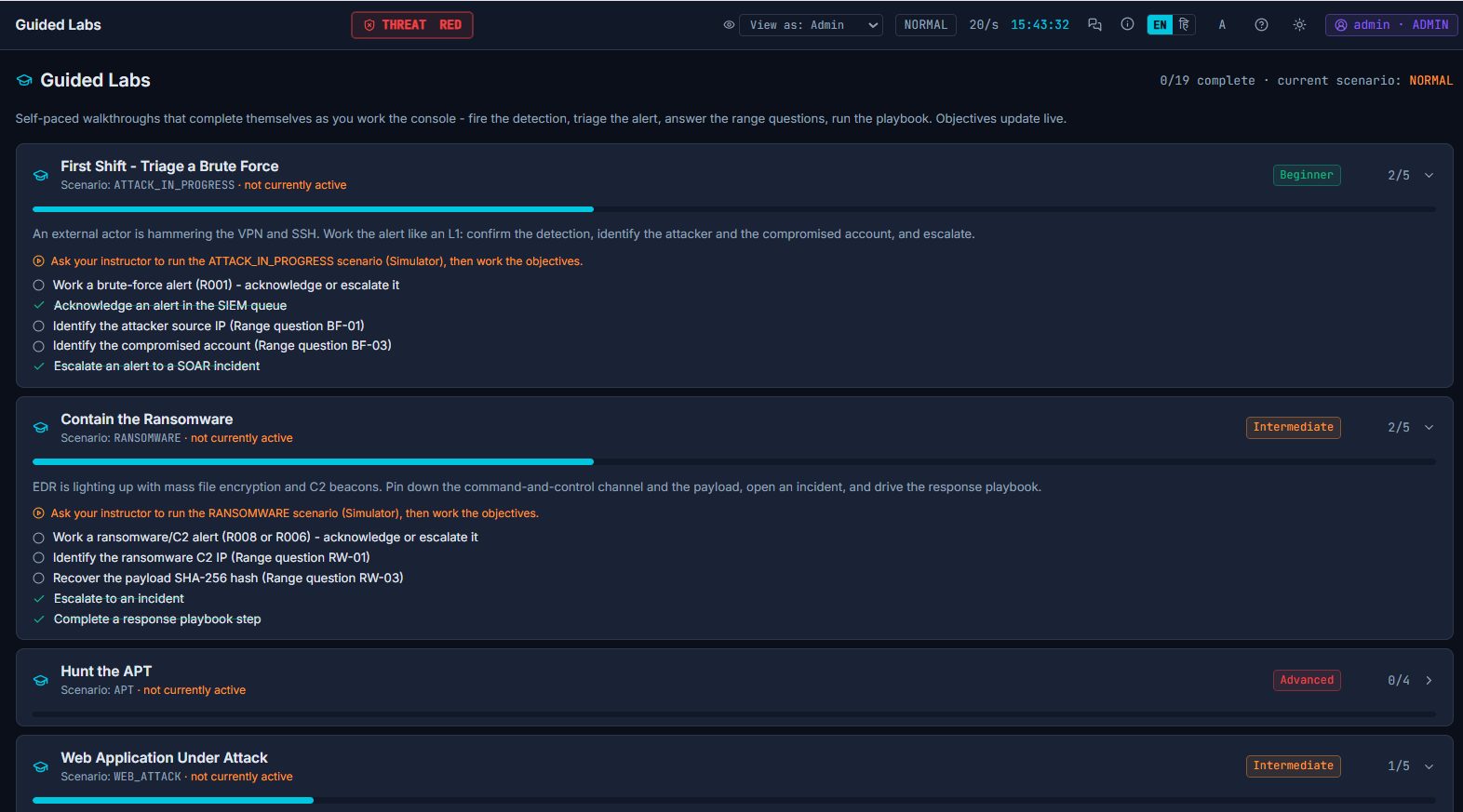
Guided Labs
Beginner to Expert missions such as Triage a Brute Force or Contain the Ransomware, with objectives that update live as you work.
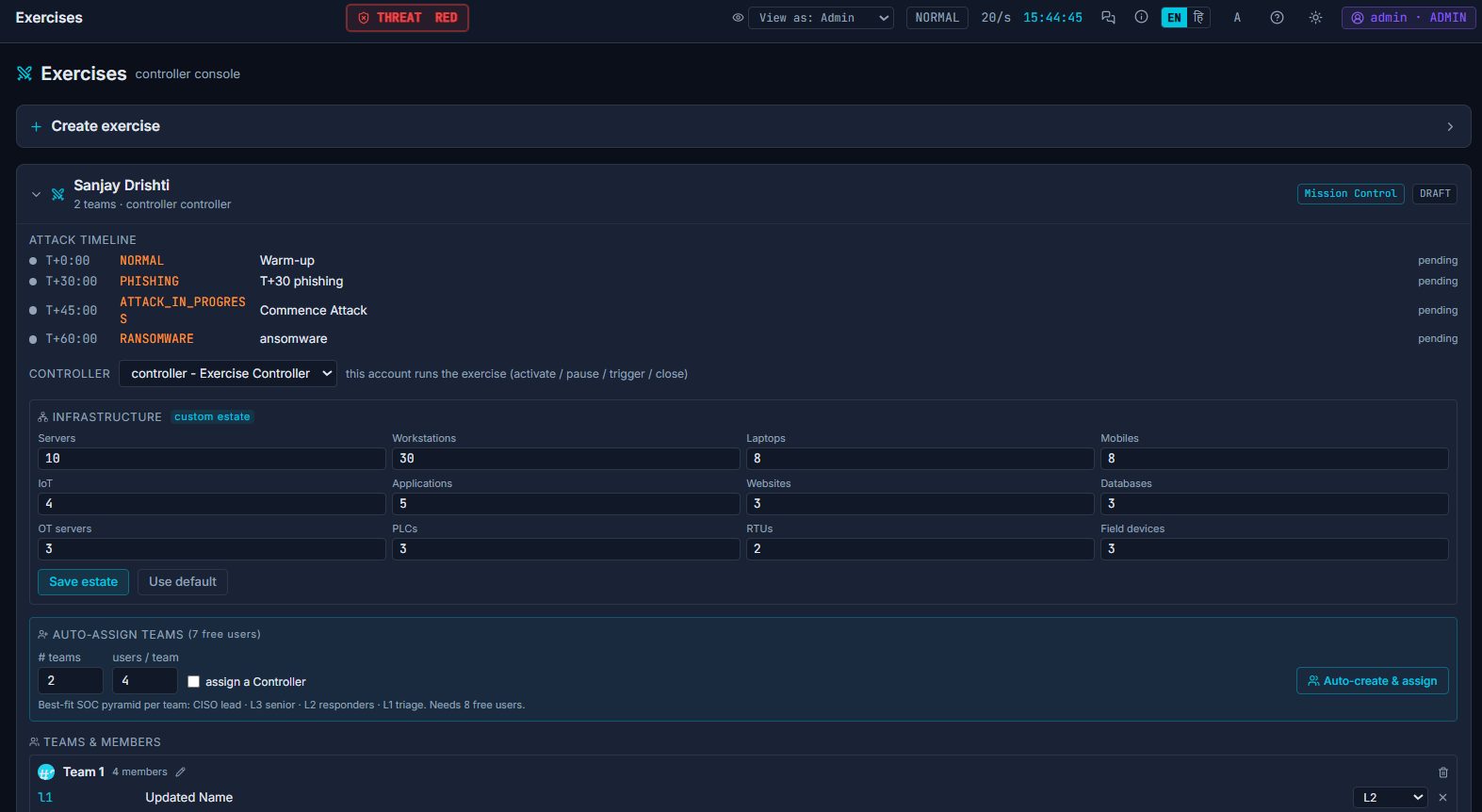
Instructor console
Build an exercise: attack timeline, custom estate size, auto-assigned SOC teams with L1, L2, L3 and CISO roles, then activate, pause, trigger and close.
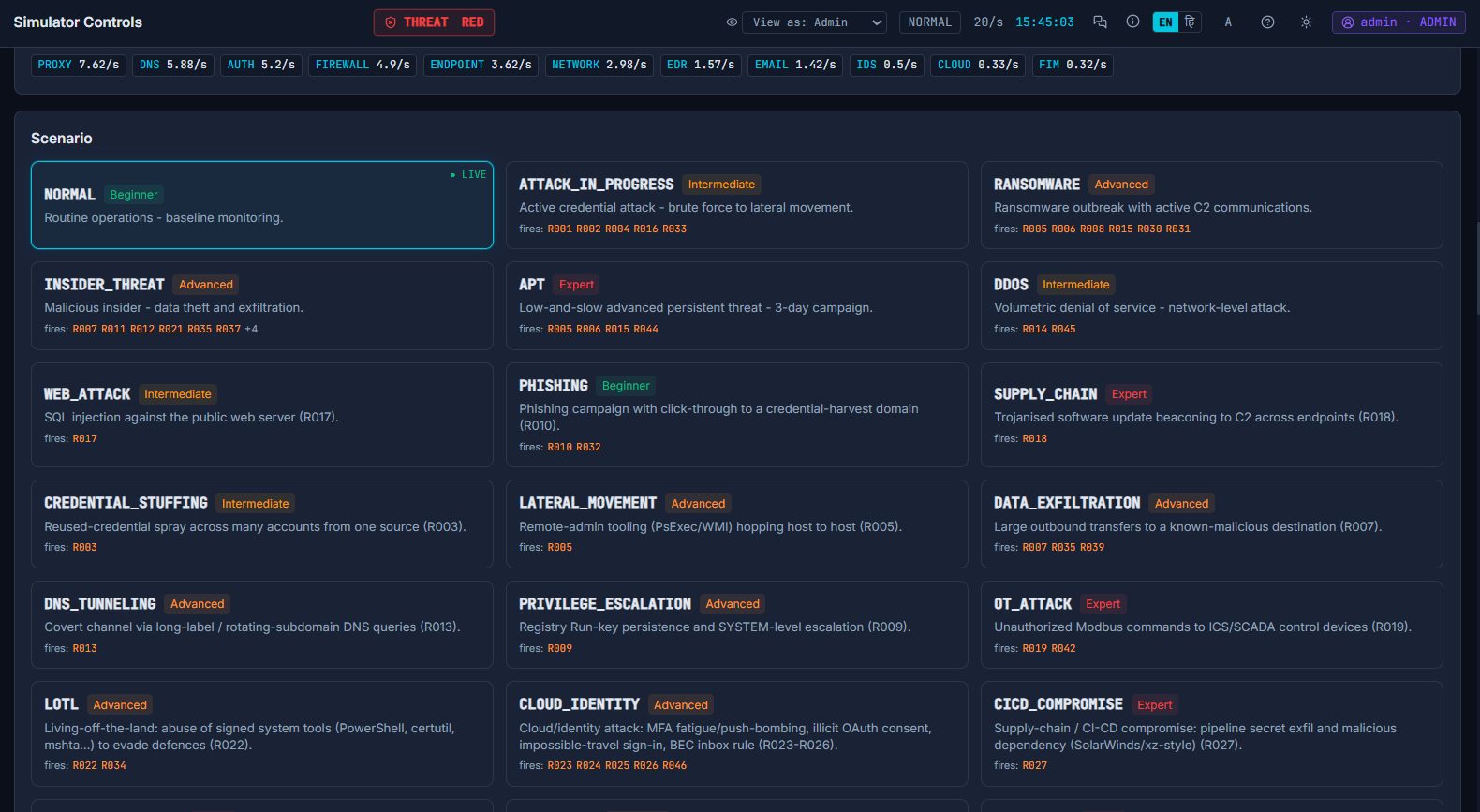
25+ attack scenarios
Phishing to APT, insider threat, DDoS, DNS tunnelling, cloud identity, OT/ICS and CI/CD compromise, each tagged with the rules it exercises.
Take the details with you.
Download the brochure for academic institutions, or get in touch to arrange a demonstration, an extended training window, or a private instance for your team.